For a super simple example of FSelfRegisteringExec being implemented see UAvoidanceManager and UAvoidanceManager::Exec_Dev
Inside FExec there is Exec_Runtime, Exec_Editor and Exec_Dev
Statics
For static variables (int32, float, bool, FString) see FAutoConsoleVariableRef
For static commands see FAutoConsoleObject and the childs such as FAutoConsoleCommandWithWorld or FAutoConsoleCommand (I have some helpers for that in My plugins)
Code snippets
static float DrawingShowFlagsMaxDrawDistance = 3500; static FAutoConsoleVariableRef CVarDrawingShowFlagsMaxDrawDistance( TEXT("BrutalPuzzle.Editor.DrawingShowFlagsMaxDrawDistance"), DrawingShowFlagsMaxDrawDistance, TEXT("Limits the drawing of custom show flags to this distance"), ECVF_Default);
void ClearTrackedPrefabReferenceComponents() {}FU_Console::FFUAutoConsoleCommand CClearTrackedPrefabReferenceComponents("Editor", "ClearTrackedPrefabReferenceComponents", "Clear all tracked components",FConsoleCommandDelegate::CreateStatic(ClearTrackedPrefabReferenceComponents));
Custom command declaration example
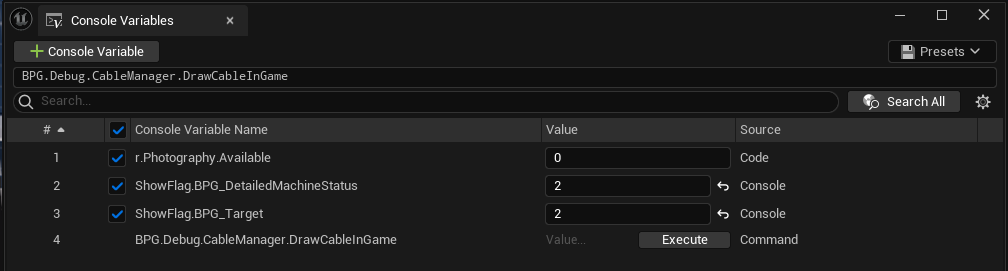
// example 1, inside a namespacestatic bool bDrawCableInGame = false; void ToggleDrawCableInGame() { bDrawCableInGame = !bDrawCableInGame; }; BPG_Console::FBPGAutoConsoleCommand CDrawCableInGame( "DrawCableInGame", "Toggle to show debug data", FConsoleCommandDelegate::CreateStatic(ToggleDrawCableInGame), "CableManager");// example 2 (Northstar)auto& ConsoleManager = IConsoleManager::Get();ConsoleManager.RegisterConsoleCommand( TEXT("CyGlass.ToggleOverlay"), TEXT("Toggle CyGlass overlay."), FConsoleCommandDelegate::CreateUObject(this, &UCyGlassExtensionSubsystem::ToggleCyGlassOverlay)));
About re-registration warning (console commands and vars)
you might get the following warning Console object named 'xxx' already exists but is being registered again, but we weren't expected it to be!
You can totally ignore it if it happens when you hot reload/live code. For more details read the comment above the UE_LOG line
Run commands from code
Blueprint
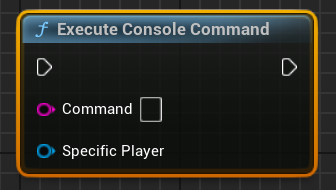
Use the Execute Console Command node, the player parameter is not required in all cases.
C++
We can use the same logic than the BP node (UKismetSystemLibrary::ExecuteConsoleCommand).
Internally it uses ConsoleCommand on the Player Controller if valid and Exec on the GEngine if not.
It seems safer to use the kismet function because it has some extra safety measures.